

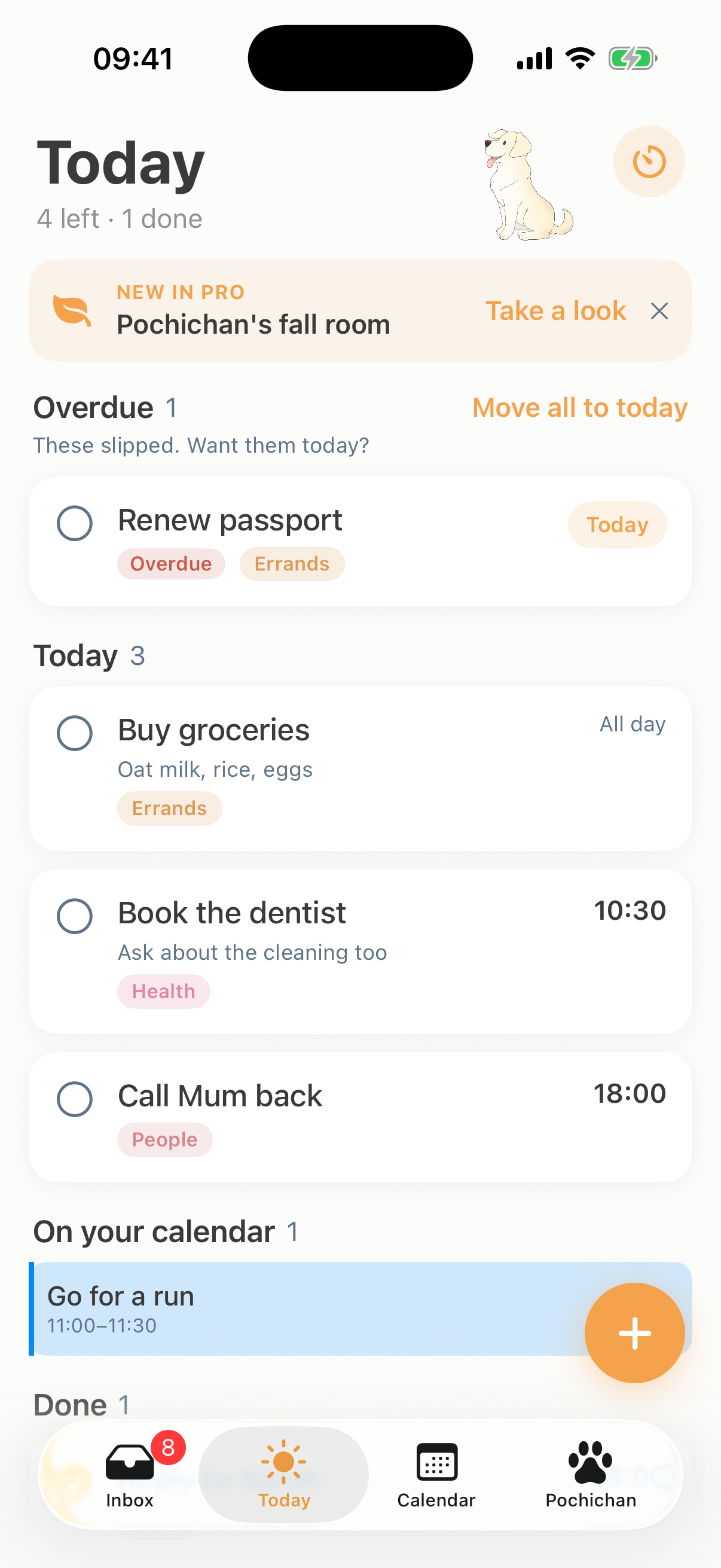
Three easy steps to plan your day
-
1
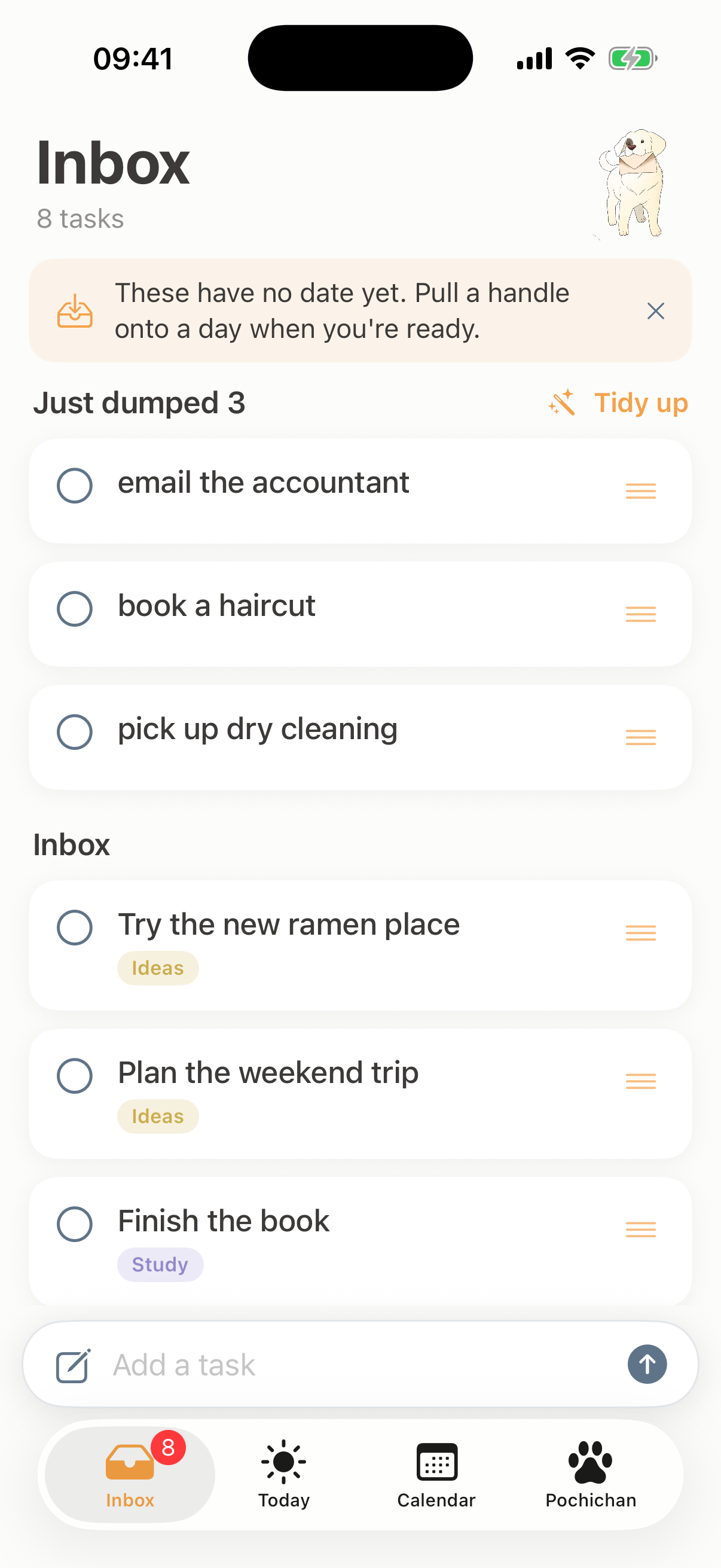
Jot it down in the Inbox
Capture a task the second it comes to mind. One quick line and it is saved in the Inbox, ready to plan whenever you have a minute.
-
2
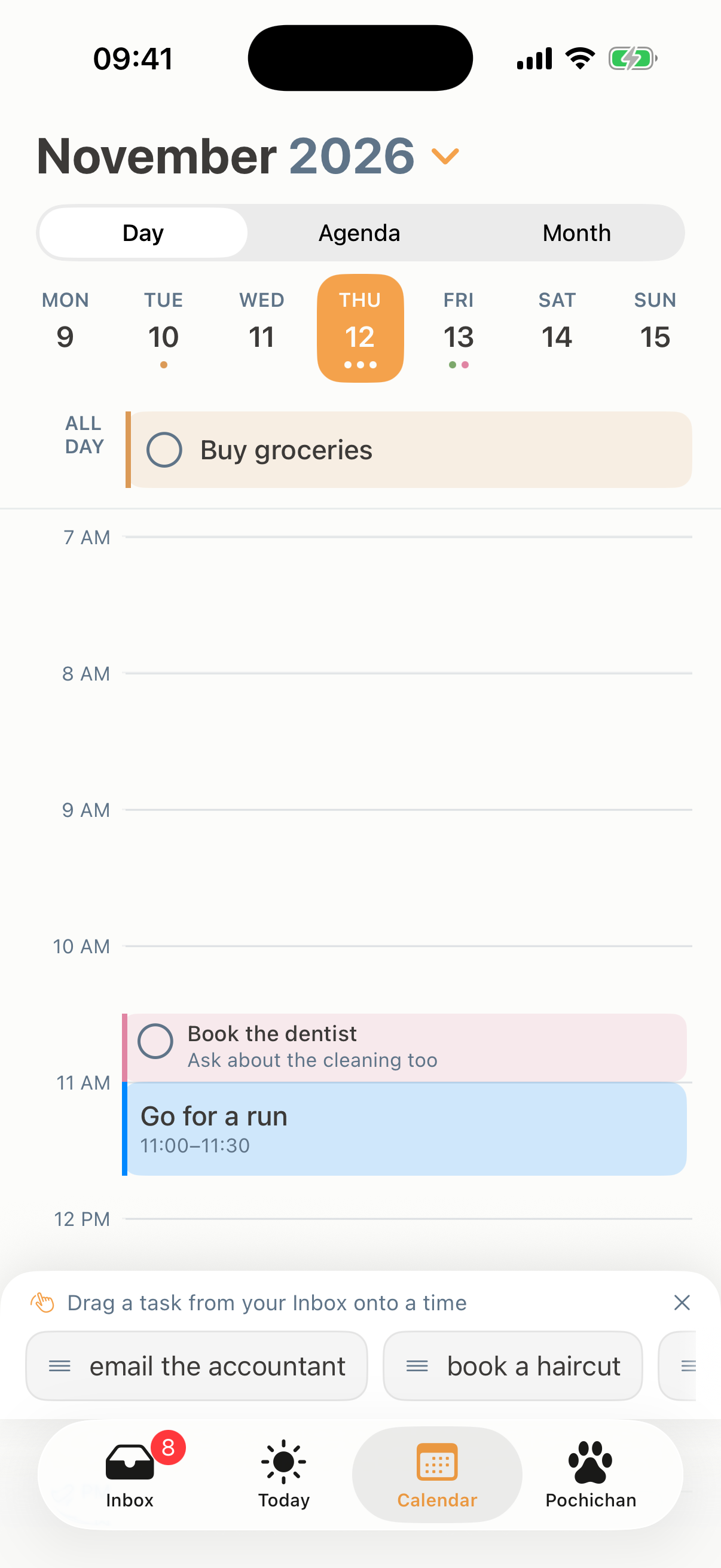
Give it a day
Drag it onto a day, or set a time. Your tasks and your calendar sit side by side, so planning takes seconds.
-
3
A reminder when it is due
Tokiday sends a reminder when a task is due. Anything you do not finish rolls over to the next day instead of disappearing, so nothing slips through the cracks.
What Tokiday does
Catch every thought
The Inbox holds whatever pops into your head. Add a line and keep moving. Nothing needs a date to land, so capturing never slows you down.
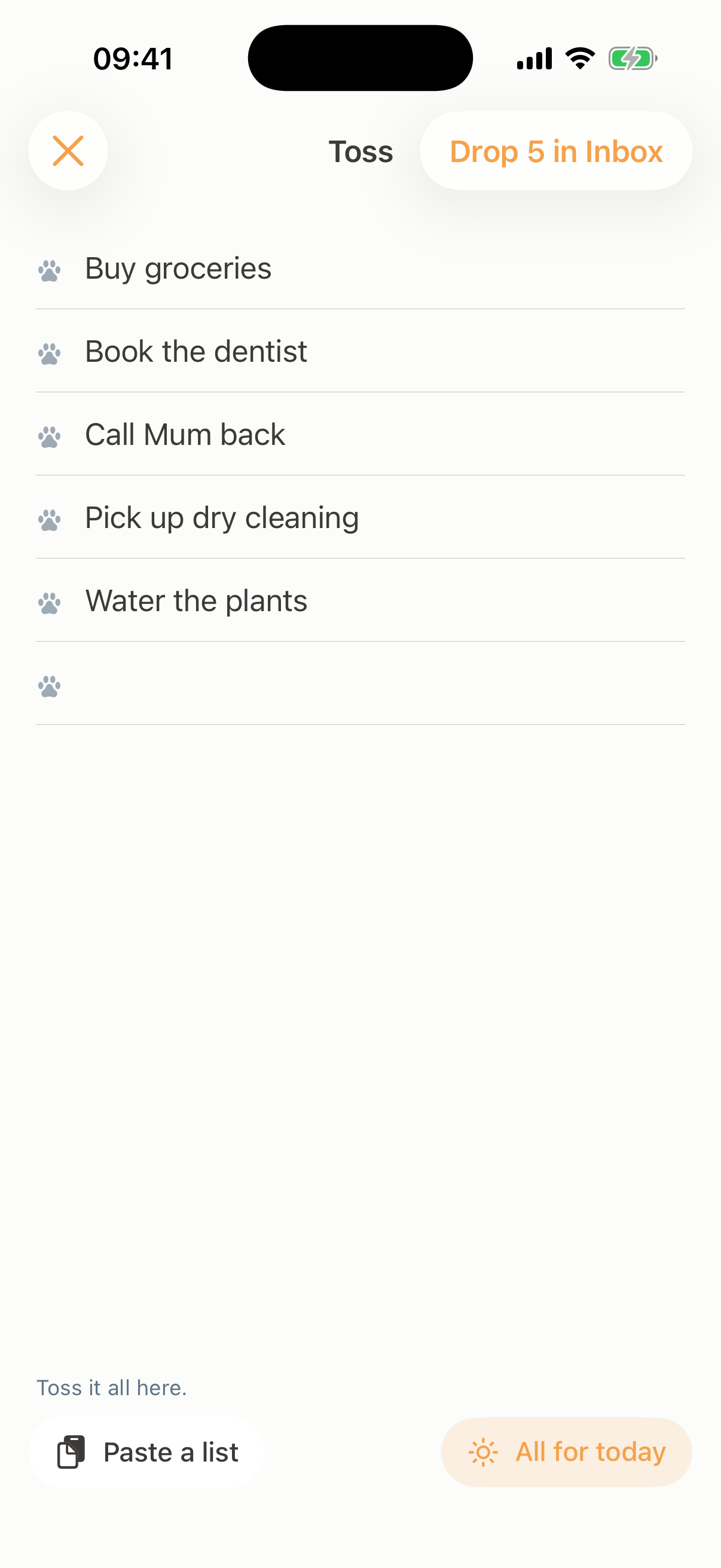
Toss a whole list at once
Got a head full of to-dos? Open Toss and reel them off, one line each, then drop the whole list into your Inbox in a tap. Sort them onto days whenever you have a minute.
See your week, your way
Day, agenda, and month, over everything you have planned, with your Google Calendar events right beside your tasks.
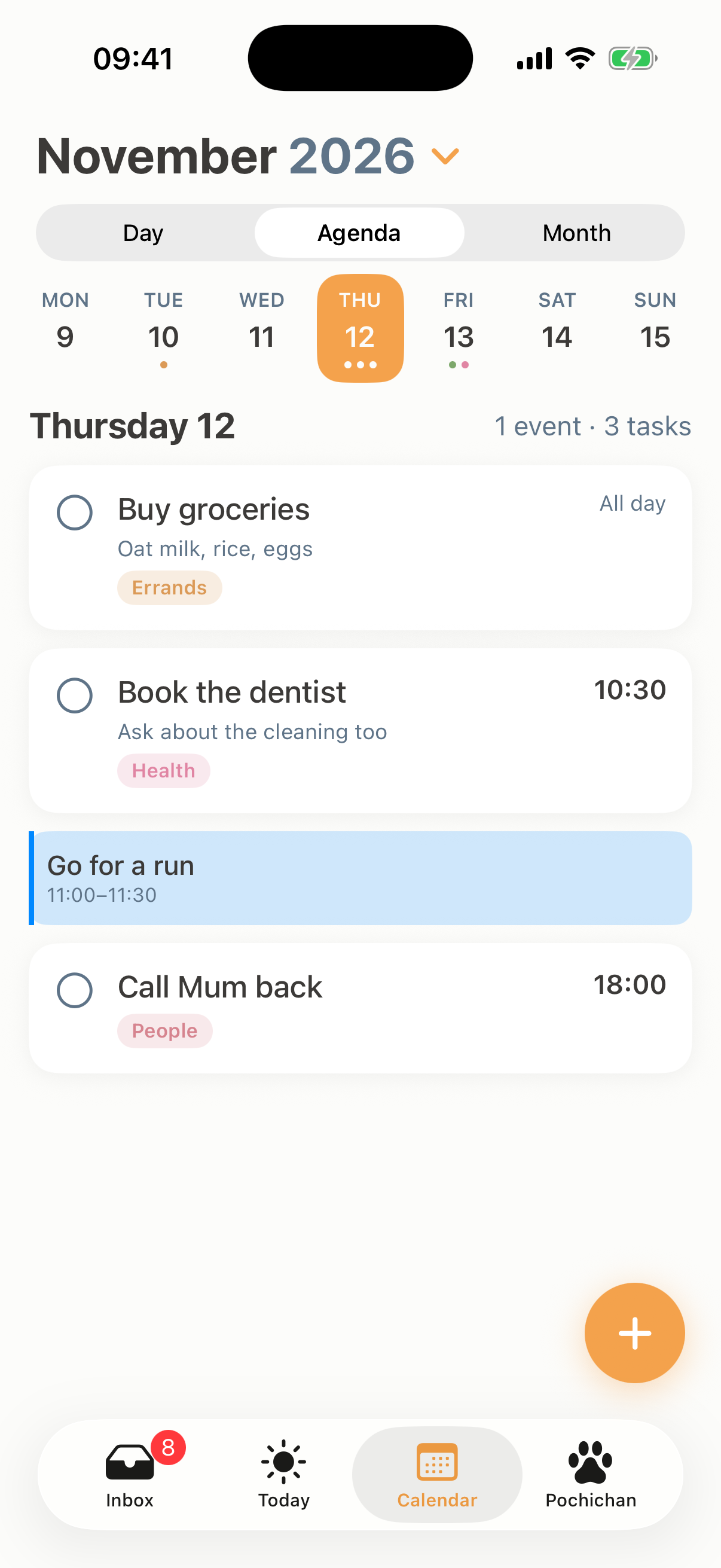
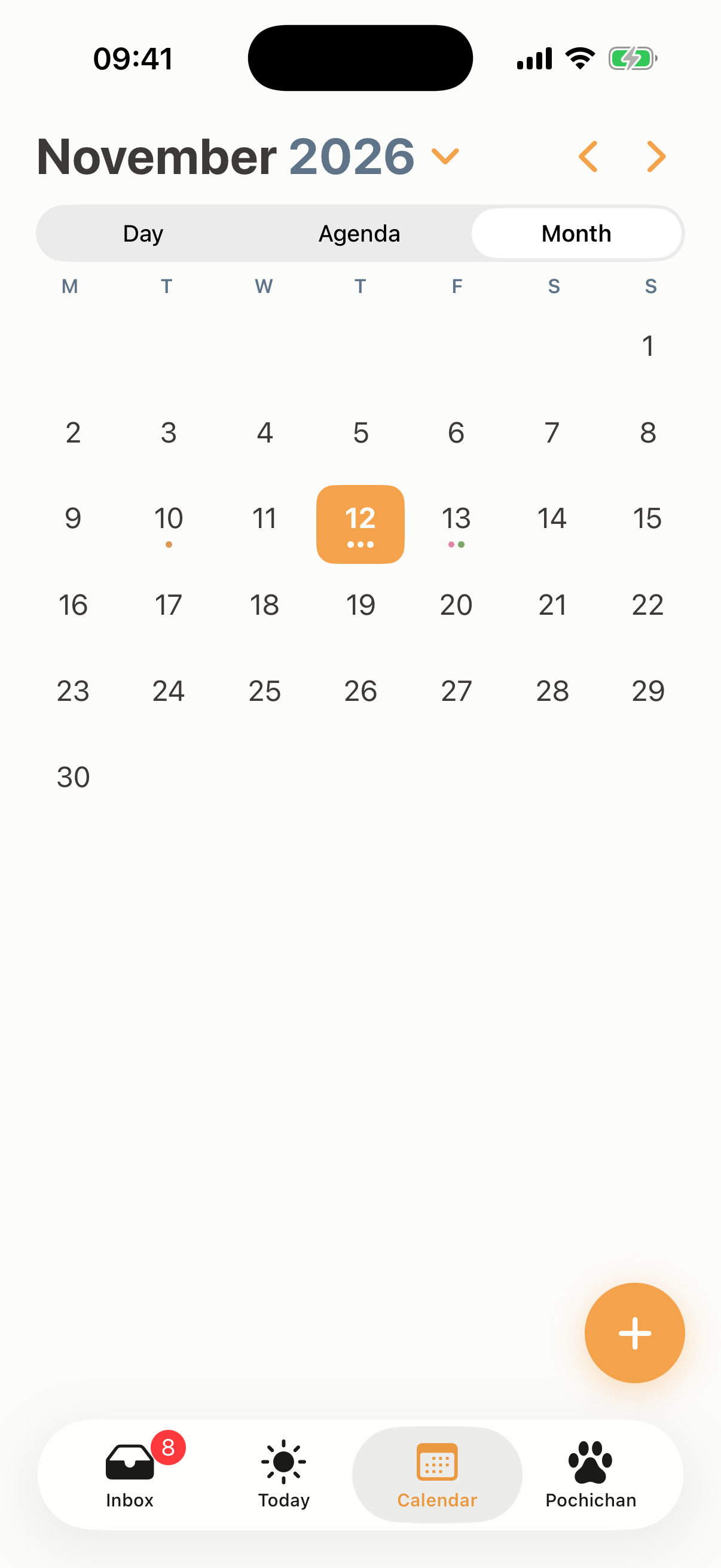
With Tokiday Pro, write a task's time and details straight into your Apple Calendar or Google Calendar, so they show up everywhere you look.
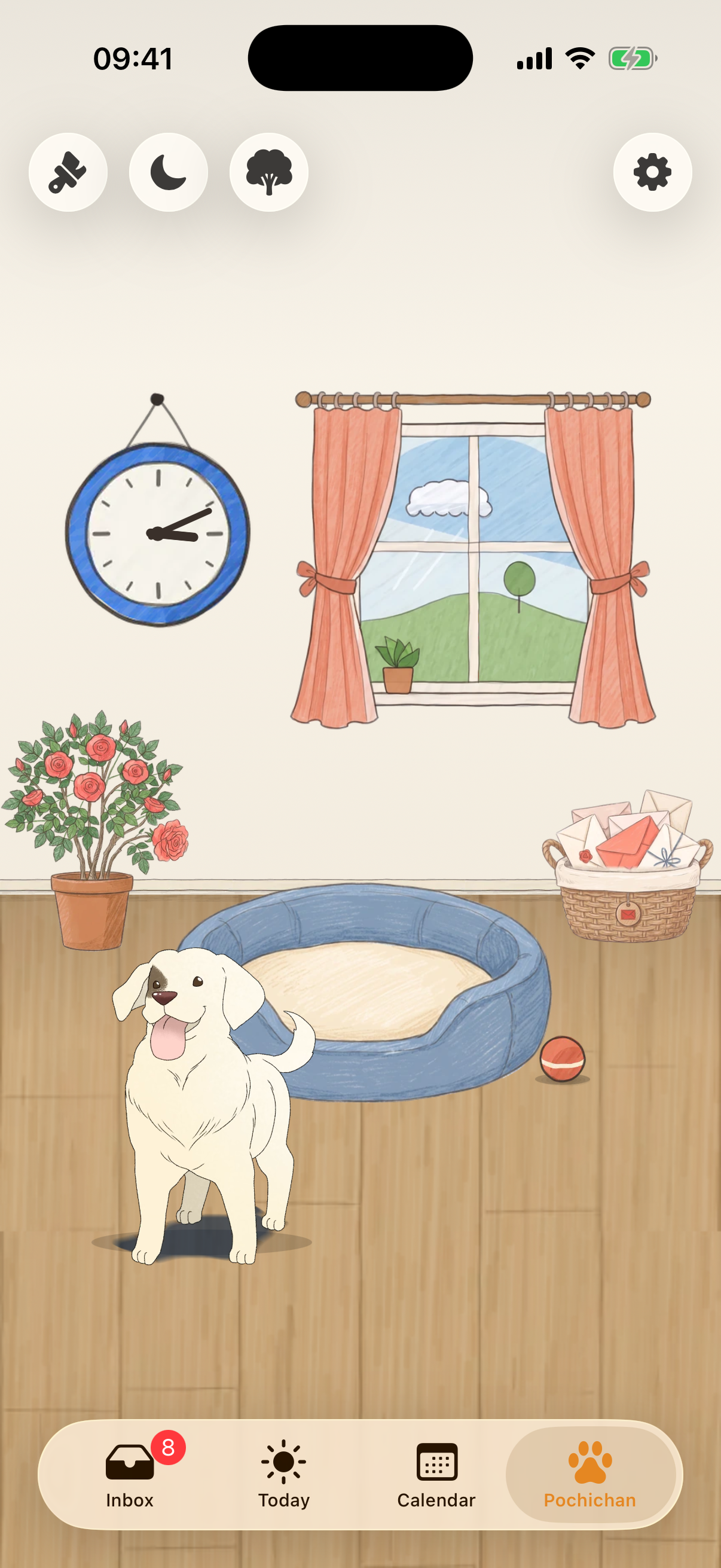
Meet Pochichan, the best boi
A golden labrador retriever with a brown patch over one eye. He is a patient dog who will stay by your side throughout your day.
He keeps your tasks company in his room and brings them to you when you are ready to work on them. Scroll up and give him a pat while you are here.
Decorate his room and his yard just the way you like, with new pieces and whole sets to collect. Each one is drawn by hand, and more are on the way for the seasons and holidays ahead.
Free to use, with an optional Pro
The whole planner is free. Tokiday Pro adds calendar writing, repeating tasks, focus, widgets, and a new room each season.
Free
Everything you need to plan your days.
- Capture unlimited tasks in the Inbox
- Toss a whole list in at once
- Drag tasks onto days and times
- Today, with unfinished tasks rolling over
- Day, agenda, and month calendar views
- See your Apple and Google Calendar events
- A reminder when a task is due
- Pochichan's cottage room
- Light and dark, all on your device
Pro
Everything in Free, plus:
- Write to your calendar: add, move, and block time in Apple Calendar and Google Calendar
- Repeating tasks
- Focus with Pochichan, with breaks and a daily focus tally
- Home Screen and Lock Screen widgets
- Earlier reminders, 5, 10, or 30 minutes ahead
- Reminders for your calendar events, not just tasks
- A new room each season: Spring and Fall now, Summer and Winter on the way
Pro is $3.99 a month, $29.99 a year with a 7-day free trial, or $59.99 once for lifetime access. Festive rooms for Halloween, Thanksgiving, and Christmas are available as one-time packs.
Questions, answered
Is Tokiday free?
Yes. The whole planner, the Inbox, Today, the calendar views, and reminders, is free. Tokiday Pro is optional and adds calendar writing, repeating tasks, Focus, widgets, and a new room each season.
Do I need an account?
No. There is no sign-up and no account. Your tasks and plans live on your iPhone.
Where is my data stored?
On your device. We do not store it and we cannot access it. If you connect a calendar, Tokiday talks to it straight from your phone.
Does it work with Google Calendar and Apple Calendar?
Yes. Connect either one and your events show up beside your tasks. Viewing is free. With Pro, Tokiday can add and move events and block time for a task, right in your calendar.
What happens to a task I do not finish?
It rolls over to the next day instead of disappearing, so nothing slips through the cracks.
How do reminders work?
Tokiday reminds you when a task with a set time comes due. With Pro you can be nudged 5, 10, or 30 minutes early, and get reminders for your calendar events too.
How much is Pro?
Pro is $3.99 a month, or $29.99 a year with a 7-day free trial. You can also pay once: $59.99 for lifetime access. Prices are in US dollars and may vary a little by region.
Which devices does Tokiday support?
iPhone, on iOS 18 or later. Home Screen and Lock Screen widgets come with Pro.
Your data belongs to you
Your tasks and plans live on your iPhone. We do not store any of your data. We cannot access any of it. You can connect Google Calendar or your Apple Calendar, and Tokiday Pro will keep them in sync.